
How to track business expenses as a creative freelancer comes down to four habits: run every work purchase through a business account or card, sort each charge into a short list of creative-specific categories, save the receipt the same day, and spend twenty minutes a month reconciling the two. Set that up once and it takes about ten minutes a week to keep current.
The boring truth is that most freelancers don’t lose money to expensive software or a fancy accountant. They lose it to a shoebox of receipts, a personal card used for a prop purchase, and a hunch about which client projects actually made money. Fix the paperwork and the numbers start telling you something useful.
If you do illustration, photography, styling, writing, motion or design work, this system is built for your kind of spending — stock sets, font licences, print runs, studio rental, model releases, courier fees. Tax rules differ by country and state, and what you can claim depends on your situation, so treat the categories here as an organised starting point rather than tax advice.
Table of Contents
- What You Need
- Step-by-Step
- 1. Separate Business Spending From Personal Spending
- 2. Create Categories That Match Your Creative Work
- 3. Record the Expense When It Happens
- 4. Capture Receipts and Mileage
- 5. Review and Reconcile Your Records Each Month
- 6. Export Records and Ask an Accountant What Matters
- Common Mistakes
- Frequently Asked Questions
- What is the easiest way to track business expenses?
- What expenses can I claim as a freelance creative?
- What things are considered office expenses?
- Should freelancers use a spreadsheet or bookkeeping software?
- How do I track mileage and keep records for tax time?
- Conclusion
What You Need
You need six things, and only one of them costs money. The rest are decisions you make once.
- A dedicated business bank account. Every invoice payment lands here and every work purchase leaves it. This one habit removes most of the guesswork later.
- A business payment card. Linked to that account, it gives you a dated record of every purchase without touching your personal card.
- A separate tax savings account. Money moves into it every time a client pays you, so it is not there when the bill arrives.
- A tracking method. A spreadsheet, a free app, or dedicated accounting software. A spreadsheet is genuinely enough to begin.
- A receipt capture routine. Your phone camera and one cloud folder, with a file-naming rule you actually follow.
- A mileage log. A spreadsheet or an app that records date, destination, purpose and miles.
- A category list built from your own work. Ten to fifteen categories, no more, written around what you really buy.
Pick the tool last. A shared spreadsheet that you use every week beats an expensive program you abandon in March, and people who ask for the simplest tracker usually just want something that doesn’t demand a bank login.
Step-by-Step
1. Separate Business Spending From Personal Spending
Open a business checking account in your business name and put a card against it. If your bank offers a linked savings account, use it as the tax account and transfer a fixed percentage of every payment into it the day the invoice clears. Twenty-five to thirty percent is the range most freelancers land on, though your own tax situation may call for more.
The rule that saves the most time: anything you buy that could be used for your work goes on the business card. A camera lens for a paid assignment goes on the card. A design tool subscription goes on the card. Your weekly groceries, your personal wardrobe, and the streaming service you watch at home do not.
Groceries are the one that gets argued about. The general rule is that meals while travelling to a client are a business cost and meals at home are not, so keep those separate and let a professional confirm the boundary for your situation.
You know the step worked when you can open one statement and see every work transaction for the month without reading a single personal line.
2. Create Categories That Match Your Creative Work
Your category list is your chart of accounts, and a chart of accounts is simply the set of buckets you sort costs into. Most templates are written for consultants. Yours should be written for someone who directs, shoots, styles or draws.
A working list for a creative freelancer:
- Software and subscriptions — editing tools, cloud storage, font and asset libraries, project management, accountancy software.
- Hardware and gear — bodies, lenses, lighting, computers, tablets, storage drives, batteries.
- Studio and home office — rent, coworking desk, utilities percentage, insurance on the space, cleaning.
- Internet and phone — the business share of a plan used for both.
- Materials and project supplies — canvas, paper, ink, paint, fabric, hardware for builds.
- Props, wardrobe and set styling — pieces bought or rented for a specific shoot or production.
- Print and production — print runs, proofs, couriers, shipping to a client or to set.
- Licences and reference material — purchased reference books, footage and image library licences, location and archive fees.
- Travel and mileage — trains, flights, fuel, parking, tolls, accommodation for client work.
- Professional development — courses, workshops, conferences, memberships, portfolio review.
- Marketing and portfolio — portfolio hosting, print portfolio, mailing, advertising.
- Insurance and admin — professional liability, business registration fees, legal and bookkeeping costs.
- Subcontractors and assistants — retouchers, assistants, models, makeup artists, other freelancers you pay.
- Client hospitality — meals or events connected to a specific project.
Keep it to what you use. A category you never touch is clutter, and a spending pattern you cannot see is the whole point of doing this.
3. Record the Expense When It Happens
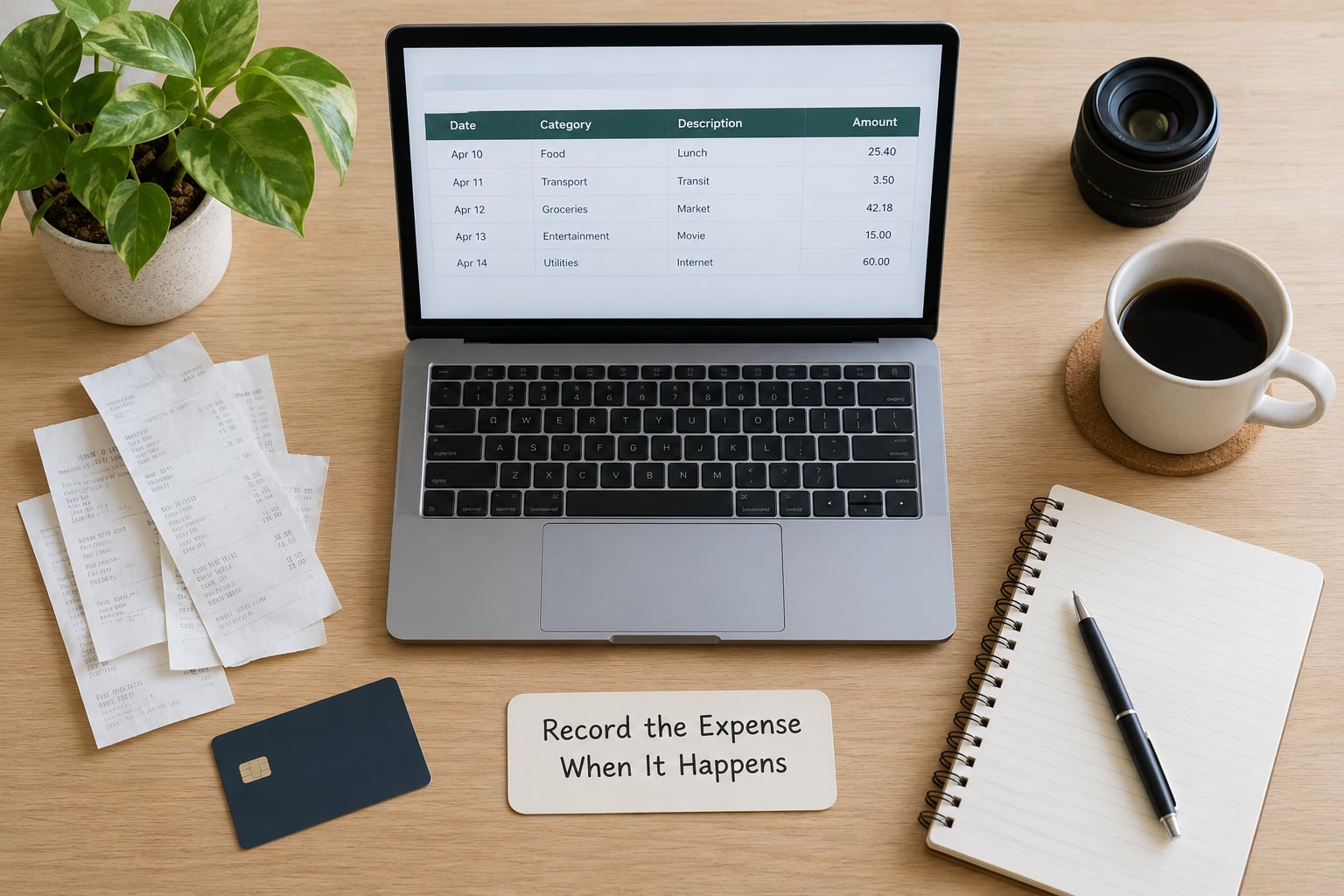
Log the transaction while the receipt is still in your hand. Eight fields cover everything: date, merchant, amount, business purpose, project or client, payment method, category, and receipt location.
Worked examples of what a complete line looks like:
- A camera lens bought for a magazine assignment — date, merchant, amount, “second body for the cover shoot,” client name, business card, Hardware and gear, receipt image.
- An annual editing suite subscription — date, merchant, amount, “editing software,” no single client, business card, Software and subscriptions, receipt PDF in email.
- A train ticket to meet a client — date, merchant, amount, “client meeting, agency pitch,” client name, personal card reimbursed or business card, Travel and mileage, booking confirmation.
The business purpose is the field that does the work. Amount and merchant alone tell an accountant that you bought something; the purpose tells them why your work needed it. Skipping that field is how a folder of perfectly good receipts turns into a guessing game in April.
You know the step worked when every transaction in your tracker has enough detail to explain its purpose six months from now without you.
4. Capture Receipts and Mileage
Photograph each receipt the day you get it, in good light, flat, with all four corners and the total visible. Name the file with a rule you can repeat: YYYY-MM-DD_Merchant_Project_Amount.jpg. Put receipts in one cloud folder with a matching structure — by year, then category. That naming pattern is the difference between finding a receipt in twenty seconds and rebuilding a memory of a Tuesday afternoon.
Digital receipts count the same as paper. An emailed confirmation for a subscription is documentation. Many software vendors also make a downloadable invoice list from your account settings, which is faster than screenshotting every charge.
Cash still happens — prop shops, parking meters, craft stalls. Photograph it immediately and note the amount and purpose in the same entry. A cash expense with no receipt is a weak record, so treat the photograph as non-negotiable there.
For mileage, log four things per trip: date, destination, business purpose, and miles. Record odometer readings monthly instead of per trip, which takes about a minute. Add a note on why you travelled, and whether anyone else was in the car. Standard mileage rates change each year, so check the current figure for your country rather than reusing last year’s number.
Mixed-use costs — one phone, one internet line, a kitchen table that doubles as a studio — get recorded as a whole with a clear note on the business share. Do not split the figure in the tracker and store the half-explained version; keep the full cost and describe the proportion in words. That is far easier for a professional to work with.
5. Review and Reconcile Your Records Each Month

Once a month, compare your tracker against the bank and card statements line by line. Twenty minutes is enough at a typical freelance volume. Look for four things: charges on the business card that never made it into the tracker, duplicate entries from a synced feed, expenses filed under the wrong category, and receipts missing entirely.
Fix them the same session. A correction made eleven days later requires you to remember why you made it, and you will not.
A simple monthly routine:
- Download or open the business card statement and the bank statement for the month.
- Match every statement line to a tracker entry, and add the missing ones.
- Check that each entry has a receipt attached and a business purpose written.
- Move the tax percentage to the tax savings account and confirm the balance.
- Note anything that looks out of pattern, in one line, so you can investigate it rather than guess.
Warning signs worth a second look: software spend jumping well above your usual monthly figure, a travel month with no matching client invoice, a supply category that grows every month without a project behind it, and any recurring charge you cannot immediately name.
That last one is worth pausing on. A subscription you forgot about, quietly billing for eight months, is a common find during a monthly review, and searching for the domain usually identifies it within a minute.
6. Export Records and Ask an Accountant What Matters
Once a quarter, pull a summary from your tracker: total income, total expenses by category, net profit, and tax set aside. If you have accounting software, use its tax-time export. If you are on a spreadsheet, keep a year-end tab that totals each category for the full year. That single summary is the document an accountant can actually work from.
Keep your original receipts after filing, and keep them for the period your country requires. Many freelancers keep them for seven years, which is longer than the common minimum retention period, but it costs nothing extra in cloud storage and it removes the panic.
Tracking expenses well does not decide which deductions you are entitled to. Deductibility depends on your country, your state, your entity type and your personal circumstances, and it changes. A clean tracker tells a professional what happened; it does not replace their judgement. For US readers, self-employment tax sits on top of income tax and is the reason a tax reserve percentage above the headline rate is sensible.
Hiring an accountant is usually worth it once you have a second income stream, sales tax or VAT obligations, an entity such as an LLC, or employees. It also makes sense in the year something feels confusing. Many bookkeepers work on a project basis for a few hundred dollars a year, which is a small cost next to a filing mistake.
If you are outside the US, the structure still works. What changes is the paperwork around it: VAT or GST charged to clients, local mileage rates, and statutory record-keeping periods. Everything else in this guide carries over as-is.
Common Mistakes
Mistake one: mixing personal and business spending. One personal card for everything means every statement needs interpretation, and the interpretation is where errors hide. The fix is one business account and one card, and moving every work charge onto them.
Mistake two: saving receipts without context. A photo of a receipt with no note about the project tells you what you spent but not why. Attach the purpose line at capture time.
Mistake three: vague categories. “Misc” swallows software, travel and props together, so a report shows one number where you needed three. Rename categories the first time two different kinds of cost land in the same bucket.
Mistake four: forgetting cash and mileage. Both sit outside the bank feed, so both get skipped. Photograph cash receipts on the spot and set a monthly odometer reminder.
Mistake five: relying on statements alone. A statement shows a charge to a subscription service, not that it serves your work or that you still want it. The tracker is where judgement gets recorded.
Mistake six: assuming every work-looking purchase is claimable. A camera used mostly for personal shooting is a different question from one bought for a specific paid assignment. Note the business use clearly and let a professional decide.
Four habits that keep it all current: put the receipt away before you leave the shop, categorise on the day, review the numbers once a month for twenty minutes, and transfer the tax percentage the day a payment clears.
One more habit is quietly the most useful of all. Track what each project costs you, not just your total spending. Add materials, travel, assistants and subcontractor fees to the hours you logged, and the picture of which clients are worth keeping becomes hard to argue with. Freelancers regularly report that the first project-level review is what finally moved their rates.
Frequently Asked Questions
What is the easiest way to track business expenses?
Open a separate business bank account, run every work purchase through a linked business card, sort each charge into about ten categories you chose yourself, photograph the receipt the same day, and review the totals for twenty minutes once a month. A shared spreadsheet handles this well until the volume makes it tedious, at which point accounting software with a bank feed saves the retyping.
What expenses can I claim as a freelance creative?
Common creative costs include software and asset library subscriptions, camera bodies and lenses, studio or coworking rent, the business share of internet and phone, project materials, props and wardrobe, print and production runs, travel and mileage to client work, professional development courses, portfolio hosting and insurance. What is actually claimable depends on your country, state and situation, so confirm your position with a qualified professional.
What things are considered office expenses?
Office expenses for a creative freelancer usually cover the workspace itself and the tools that keep it running: studio rent or a coworking desk, a business share of utilities, internet and phone, office and storage supplies, a desk and chair, printer and ink, cloud storage, and the software you bill for. A corner of a spare room can often qualify as a home office, though the rules on measuring and claiming it vary, so check yours locally.
Should freelancers use a spreadsheet or bookkeeping software?
A spreadsheet is genuinely enough to start, and most freelancers begin there. Move to dedicated software when manual entry starts costing you real time, when you want automatic bank feeds and receipt scanning, or when an accountant asks for a structured export. Free options such as Wave handle small volumes well, while paid tools suit higher transaction counts and multi-client work.
How do I track mileage and keep records for tax time?
Log each trip with the date, destination, business purpose and miles driven, or take odometer readings at the start and end of each month and fill in destinations from your calendar. Pair the mileage log with a receipt or booking confirmation where one exists. Keep receipts for at least the retention period your country requires, and store them somewhere separate from your working files.
Conclusion
A workable expense system is not complicated. It is a separate account, a card tied to it, a short category list written around your own work, receipts captured on the day, and twenty minutes a month comparing your tracker to the statements.
Start with three things today: open the business account, write your ten categories, then log the next work purchase before you leave the shop. Once that habit is in place, add the tax transfer and the monthly review, and let the numbers do their job.
What the system gives you back is more than tidy records. You find out which clients pay properly, which projects quietly cost you money, and what you need to earn each month after tax. Updated for 2026.